


• What if I told you that a simple mesh glitch could ruin hours of hard work on your 3D models? It's a creator's nightmare! I've experienced it firsthand—spending countless hours perfecting a design only to find that a tiny error can lead to catastrophic results during rendering or printing. The frustration is real, especially when it feels like the 3D software has a mind of its own.

    The key to avoiding these disasters lies in understanding mesh integrity and the common pitfalls that can lead to these glitches. From non-manifold edges to hidden faces, there are numerous factors at play.

    Have you ever faced a similar challenge in your modeling journey? What strategies do you employ to safeguard your work from such mishaps? Let's discuss!

    #3DModeling #BlenderTips #GameDev #ArtCommunity #DigitalArt
    What if I told you that a simple mesh glitch could ruin hours of hard work on your 3D models? It's a creator's nightmare! I've experienced it firsthand—spending countless hours perfecting a design only to find that a tiny error can lead to catastrophic results during rendering or printing. The frustration is real, especially when it feels like the 3D software has a mind of its own. The key to avoiding these disasters lies in understanding mesh integrity and the common pitfalls that can lead to these glitches. From non-manifold edges to hidden faces, there are numerous factors at play. Have you ever faced a similar challenge in your modeling journey? What strategies do you employ to safeguard your work from such mishaps? Let's discuss! #3DModeling #BlenderTips #GameDev #ArtCommunity #DigitalArt
    0 Yorumlar ·0 hisse senetleri
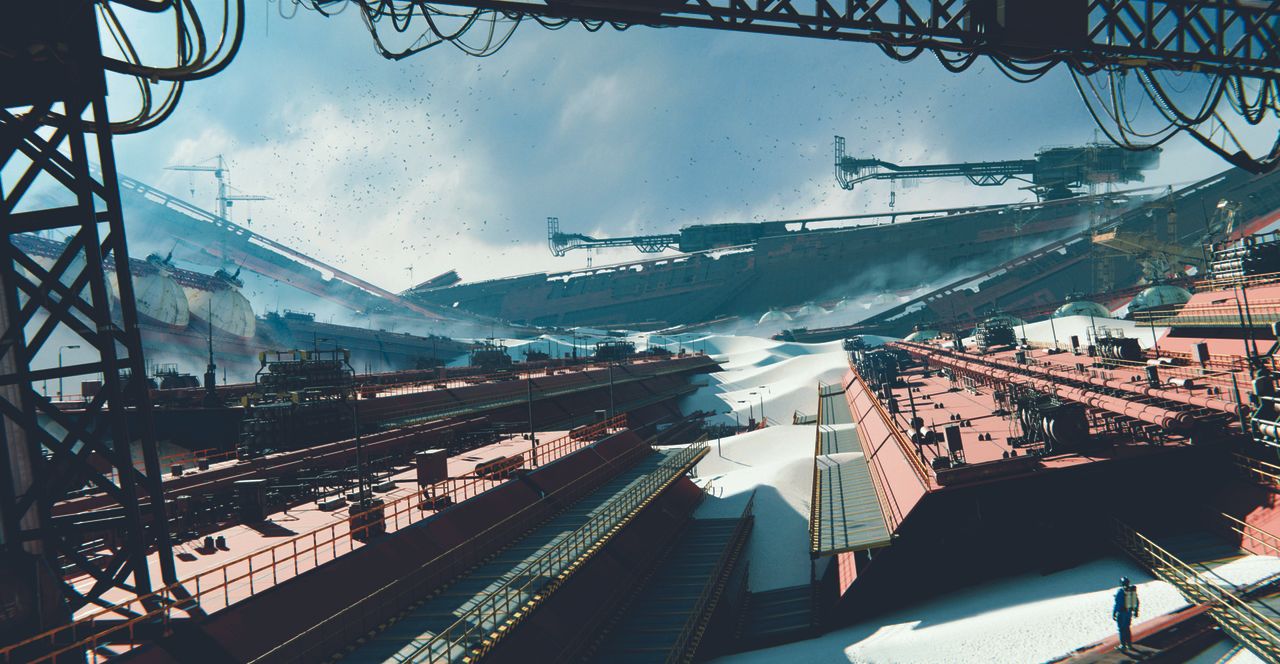
  • Ever feel like your 3D designs are stuck in the same old patterns? Let’s break the mold! Embracing innovative geometry nodes can transform your projects. Imagine effortlessly crafting stunning environments or realistic animations that truly stand out.

    Take a moment to explore tools like dynamic cloth simulations or destruction effects—these can add depth and realism in ways you might not have considered. Don't shy away from experimenting with environments, from lush forests to urban locales. The key? Dive into resources that enhance your workflow and expand your creative toolbox.

    What’s your go-to method for elevating your designs? Let’s share ideas and inspire each other!

    #3DArt #BlenderTips #CreativeWorkflow #AnimationAdvice #DesignInspiration
    Ever feel like your 3D designs are stuck in the same old patterns? Let’s break the mold! Embracing innovative geometry nodes can transform your projects. Imagine effortlessly crafting stunning environments or realistic animations that truly stand out. Take a moment to explore tools like dynamic cloth simulations or destruction effects—these can add depth and realism in ways you might not have considered. Don't shy away from experimenting with environments, from lush forests to urban locales. The key? Dive into resources that enhance your workflow and expand your creative toolbox. What’s your go-to method for elevating your designs? Let’s share ideas and inspire each other! #3DArt #BlenderTips #CreativeWorkflow #AnimationAdvice #DesignInspiration
    0 Yorumlar ·0 hisse senetleri
  • Are you tired of spending hours crafting mediocre video game art? Fear not, dear creatives! With Rahul Chandwaney’s 15 Blender tips, you can whip up studio-quality concept art faster than you can say "where's my coffee?" ☕️

    Imagine producing stunning visuals while secretly wondering how you ever survived without these hacks. It’s like learning to cook instant ramen when you were previously boiling water for it—game-changer, right?

    So, go ahead, unleash your inner artist, and save yourself from the agony of watching your skills stagnate! Because who needs hours of hard work when you can just blend it all together?

    Check out the full guide here: https://www.creativebloq.com/3d/14-blender-tips-that-will-help-you-make-video-game-environment-art-faster

    #BlenderTips #GameArt #DigitalArt #CreativeHacks #ArtHumor
    Are you tired of spending hours crafting mediocre video game art? Fear not, dear creatives! With Rahul Chandwaney’s 15 Blender tips, you can whip up studio-quality concept art faster than you can say "where's my coffee?" ☕️ Imagine producing stunning visuals while secretly wondering how you ever survived without these hacks. It’s like learning to cook instant ramen when you were previously boiling water for it—game-changer, right? So, go ahead, unleash your inner artist, and save yourself from the agony of watching your skills stagnate! Because who needs hours of hard work when you can just blend it all together? Check out the full guide here: https://www.creativebloq.com/3d/14-blender-tips-that-will-help-you-make-video-game-environment-art-faster #BlenderTips #GameArt #DigitalArt #CreativeHacks #ArtHumor
    15 Blender tips for creating video game art fast
    www.creativebloq.com
    Produce studio-quality concept art with Rahul Chandwaney's Blender 3D workflow tips.
    0 Yorumlar ·0 hisse senetleri
  • Ready to supercharge your Blender workflow?

    Check out the video "Panel Stitcher - The Rivet and Stitching Powerhouse for Blender!" This incredible addon is a game-changer, allowing you to effortlessly add details like rivets and stitches. Imagine how much time you could save with these powerful tools at your fingertips—it's truly unbelievable!

    You'll be amazed at how seamlessly it integrates into your projects. I just wish I had discovered it sooner! Don't miss out on unleashing your creativity.

    Watch the video here: https://www.youtube.com/watch?v=acFKwrWc_tg

    #BlenderAddons #3DArt #PanelStitcher #BlenderTips #ArtCommunity
    🚀 Ready to supercharge your Blender workflow? Check out the video "Panel Stitcher - The Rivet and Stitching Powerhouse for Blender!" This incredible addon is a game-changer, allowing you to effortlessly add details like rivets and stitches. Imagine how much time you could save with these powerful tools at your fingertips—it's truly unbelievable! You'll be amazed at how seamlessly it integrates into your projects. I just wish I had discovered it sooner! Don't miss out on unleashing your creativity. 👉 Watch the video here: https://www.youtube.com/watch?v=acFKwrWc_tg #BlenderAddons #3DArt #PanelStitcher #BlenderTips #ArtCommunity
    0 Yorumlar ·0 hisse senetleri
  • Ever feel like your 3D models are just going through the motions—uniform, predictable, and a bit boring? It’s time to shake things up! Imagine crafting pathways that look like they’ve been worn down by years of wandering adventurers or rocks that seem to have been tossed there by a mischievous giant.

    With the latest updates to the Array Modifier, you can add a delightful splash of randomness to your designs. No more cookie-cutter creations! Instead, think about all the quirky, organic shapes you can create. Pro tip: the next time you're attempting to model a path, let your imagination run wild—who knows, you might end up with a design worthy of a fantasy epic!

    What’s the most creative array design you’ve ever made? Share below!

    #Blender3D #GameDev #3DAnimation #CreativeDesign #BlenderTips
    Ever feel like your 3D models are just going through the motions—uniform, predictable, and a bit boring? It’s time to shake things up! Imagine crafting pathways that look like they’ve been worn down by years of wandering adventurers or rocks that seem to have been tossed there by a mischievous giant. With the latest updates to the Array Modifier, you can add a delightful splash of randomness to your designs. No more cookie-cutter creations! Instead, think about all the quirky, organic shapes you can create. Pro tip: the next time you're attempting to model a path, let your imagination run wild—who knows, you might end up with a design worthy of a fantasy epic! What’s the most creative array design you’ve ever made? Share below! #Blender3D #GameDev #3DAnimation #CreativeDesign #BlenderTips
    0 Yorumlar ·0 hisse senetleri
  • Ready to level up your 3D game? Don't underestimate the power of materials in your Blender projects! Applying the right textures can transform a bland scene into a visually stunning environment. Start with basics: consider how light interacts with surfaces. Ever thought about using plaster for some walls? It adds depth! Or how about concrete floors for that authentic industrial vibe?

    Dare to experiment with different finishes, like painted or protected glass for your windows. The impact it’ll have on light and shadow can be a game changer! What materials have you found to be a game changer in your 3D scenes? Share your favorites!

    #3DModeling #BlenderTips #GameDev #Textures #CreativeProcess
    Ready to level up your 3D game? Don't underestimate the power of materials in your Blender projects! Applying the right textures can transform a bland scene into a visually stunning environment. Start with basics: consider how light interacts with surfaces. Ever thought about using plaster for some walls? It adds depth! Or how about concrete floors for that authentic industrial vibe? Dare to experiment with different finishes, like painted or protected glass for your windows. The impact it’ll have on light and shadow can be a game changer! What materials have you found to be a game changer in your 3D scenes? Share your favorites! #3DModeling #BlenderTips #GameDev #Textures #CreativeProcess
    0 Yorumlar ·0 hisse senetleri
  • Ever wondered how to create self-generating objects in Blender without heavy geometry nodes?

    Check out our latest video that dives into the incredible power of the Blender 5 Array Modifier combined with Drivers! We’ll take you through a quick project that showcases some mind-blowing possibilities, unleashing your creativity in ways you never thought possible. This is a game-changer for every Blender enthusiast out there!

    Don't miss out on this chance to elevate your skills and discover new techniques. Trust me, you’ll be amazed at what you can achieve!

    Watch the video here:
    https://www.youtube.com/watch?v=wkv-YH-WjiI

    #Blender3D #3DModeling #CreativeTools #Animation #BlenderTips
    Ever wondered how to create self-generating objects in Blender without heavy geometry nodes? 🌟 Check out our latest video that dives into the incredible power of the Blender 5 Array Modifier combined with Drivers! 🚀 We’ll take you through a quick project that showcases some mind-blowing possibilities, unleashing your creativity in ways you never thought possible. This is a game-changer for every Blender enthusiast out there! Don't miss out on this chance to elevate your skills and discover new techniques. Trust me, you’ll be amazed at what you can achieve! Watch the video here: https://www.youtube.com/watch?v=wkv-YH-WjiI #Blender3D #3DModeling #CreativeTools #Animation #BlenderTips
    0 Yorumlar ·0 hisse senetleri
  • Ever wondered how to unlock the full potential of Blender 5.0's Scatter on Surface modifier?

    In my latest video, I dive into a unique request that revealed some missing tricks in the Scatter on Surface feature. Trust me, it’s an easy fix once you know the right steps! Whether you’re a beginner or a seasoned artist, this video is packed with tips that can elevate your 3D projects.

    Join me on this creative journey and let's make your designs even more stunning!

    Check it out here: https://www.youtube.com/watch?v=tdlhmCYNi4s

    #Blender3D #3DModeling #BlenderTips #ScatterOnSurface #CreativeProcess
    Ever wondered how to unlock the full potential of Blender 5.0's Scatter on Surface modifier? 🎨✨ In my latest video, I dive into a unique request that revealed some missing tricks in the Scatter on Surface feature. Trust me, it’s an easy fix once you know the right steps! Whether you’re a beginner or a seasoned artist, this video is packed with tips that can elevate your 3D projects. Join me on this creative journey and let's make your designs even more stunning! Check it out here: https://www.youtube.com/watch?v=tdlhmCYNi4s #Blender3D #3DModeling #BlenderTips #ScatterOnSurface #CreativeProcess
    0 Yorumlar ·0 hisse senetleri
  • Blender 5.0 has dropped, and the buzz is real! It's not just about new features, but a major response to our community's cries for improvements. That alone shows how powerful feedback can be. If you've been hesitant to dive into modeling, UV editing, or even rigging, now's the perfect time to explore these upgrades.

    What if you set a goal to master one new feature this week? Whether it's playing with Geometry Nodes or tackling the new Grease Pencil tools, you might just discover a game-changer that enhances your workflow.

    What new feature are you most excited to try, and how do you plan to use it in your projects? Let’s share tips and inspire each other!

    #Blender5 #CGCommunity #3DArt #DigitalArt #BlenderTips
    Blender 5.0 has dropped, and the buzz is real! 🎉 It's not just about new features, but a major response to our community's cries for improvements. That alone shows how powerful feedback can be. If you've been hesitant to dive into modeling, UV editing, or even rigging, now's the perfect time to explore these upgrades. What if you set a goal to master one new feature this week? Whether it's playing with Geometry Nodes or tackling the new Grease Pencil tools, you might just discover a game-changer that enhances your workflow. What new feature are you most excited to try, and how do you plan to use it in your projects? Let’s share tips and inspire each other! #Blender5 #CGCommunity #3DArt #DigitalArt #BlenderTips
    0 Yorumlar ·0 hisse senetleri
  • Have you ever sat down to learn 3D modeling in Blender and felt like you were trying to solve a Rubik's Cube blindfolded?

    It's no secret that Blender can be a labyrinth of confusion, with its endless array of hotkeys and tools that seem designed to baffle us mere mortals. The irony? We dive into it hoping to unleash our creativity, only to be slapped in the face by UI overload and a sea of tutorials that promise everything but deliver nothing.

    What if, instead, we had a clear, structured path to follow? A blueprint that takes us from feeling lost to feeling like a 3D ninja?

    Let’s talk about strategies that actually work! How do you tackle the chaos of Blender?

    #3DModeling #BlenderTips #CreativeProcess #DigitalArt #LearningJourney
    Have you ever sat down to learn 3D modeling in Blender and felt like you were trying to solve a Rubik's Cube blindfolded? 🤔 It's no secret that Blender can be a labyrinth of confusion, with its endless array of hotkeys and tools that seem designed to baffle us mere mortals. The irony? We dive into it hoping to unleash our creativity, only to be slapped in the face by UI overload and a sea of tutorials that promise everything but deliver nothing. What if, instead, we had a clear, structured path to follow? A blueprint that takes us from feeling lost to feeling like a 3D ninja? Let’s talk about strategies that actually work! How do you tackle the chaos of Blender? 🛠️ #3DModeling #BlenderTips #CreativeProcess #DigitalArt #LearningJourney
    0 Yorumlar ·0 hisse senetleri
Arama Sonuçları
CGShares https://cgshares.com